
The scenario here is, for example, you are calling your Contacts and recording data via webform using webform_civicrm, and you are using a View to get your list of contacts.
Blogs
Latest Blogs
The scenario here is, for example, you are calling your Contacts and recording data via webform using webform_civicrm, and you are using a View to get your list of contacts.
We did this a while back, and a question on StackExchange meant it was worth sharing.
We did this a while back, and a question on StackExchange meant it was worth sharing.
We did this a while back, and a question on StackExchange meant it was worth sharing.
We did this a while back, and a question on StackExchange meant it was worth sharing.

This view has another View as a field using drupal views_field_view so there are two views attached. You will probably hit less problems if you import in this order
- recur latest contribution.txt
- recur_contribution.txt
When Drupal Users are created a CiviCRM record is automatically created. If those Users are spammers, and therefore need to be Blocked or Deleted, you are faced with the difficulty of getting rid of both their Drupal user and the related CiviCRM record.
To help us with this task and others related to "user and contact" problems we created a module (feature) that gives us some new toys to play with. It evens works on multisites (where you have multiple Drupal sites - or Domain sites - linked to one CiviCRM)
When Drupal Users are created a CiviCRM record is automatically created. If those Users are spammers, and therefore need to be Blocked or Deleted, you are faced with the difficulty of getting rid of both their Drupal user and the related CiviCRM record.
To help us with this task and others related to "user and contact" problems we created a module (feature) that gives us some new toys to play with. It evens works on multisites (where you have multiple Drupal sites - or Domain sites - linked to one CiviCRM)
When Drupal Users are created a CiviCRM record is automatically created. If those Users are spammers, and therefore need to be Blocked or Deleted, you are faced with the difficulty of getting rid of both their Drupal user and the related CiviCRM record.
To help us with this task and others related to "user and contact" problems we created a module (feature) that gives us some new toys to play with. It evens works on multisites (where you have multiple Drupal sites - or Domain sites - linked to one CiviCRM)
This summary explains how we are using webform to allow multiple people to be registered for multiple events - with each person registering for any variation of events
Webform ‘body’ holds info about events including prices with links to more info
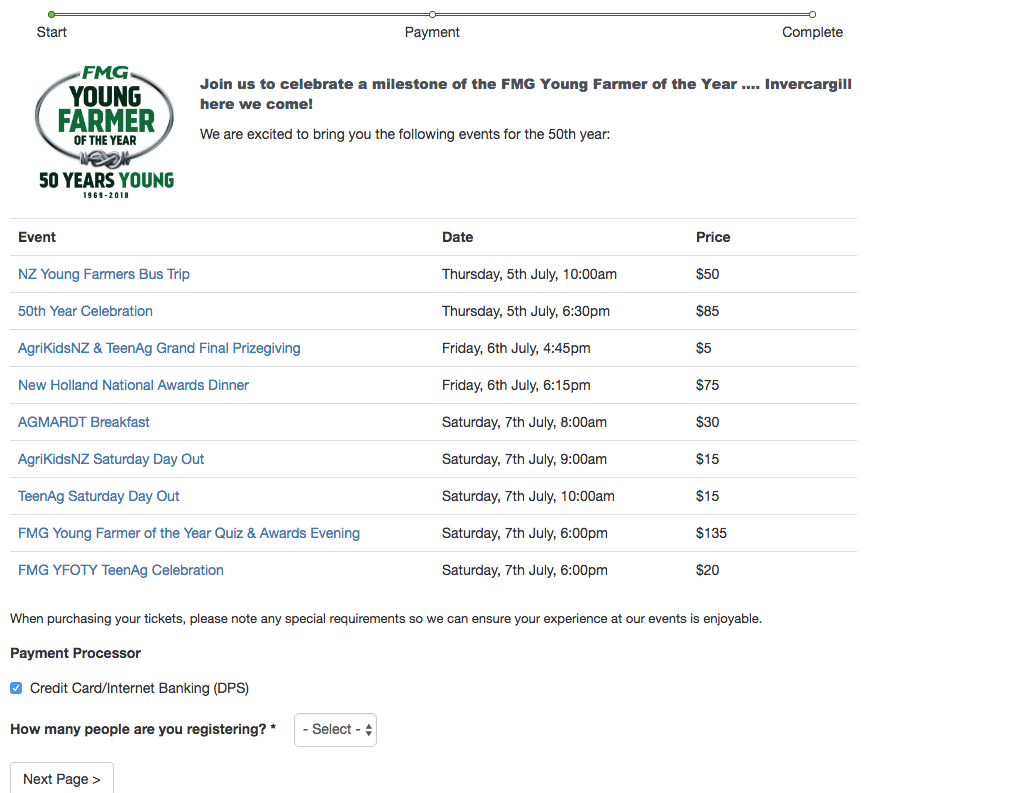
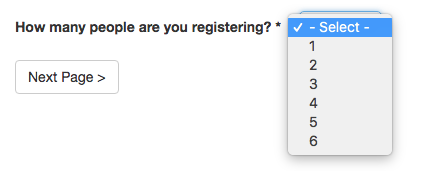
User selects number of folk they are registering and Conditionals kick in to show the necessary fields
This summary explains how we are using webform to allow multiple people to be registered for multiple events - with each person registering for any variation of events
Webform ‘body’ holds info about events including prices with links to more info
User selects number of folk they are registering and Conditionals kick in to show the necessary fields
Per a request in StackExchanged I cloned this View and cleaned it up in case it could help in their use case. The view ensures the block shows activities Assigned to the logged in user.
Per a request in StackExchanged I cloned this View and cleaned it up in case it could help in their use case. The view ensures the block shows activities Assigned to the logged in user.
Per a request in StackExchanged I cloned this View and cleaned it up in case it could help in their use case. The view ensures the block shows activities Assigned to the logged in user.
Quickly built this to provide an example view for this question on Stack Exchange. Obviously the relationship types may need resetting to match which relationships are required. They should have Individual as Contact A and Organisation as Contact B.